From Files to Workspaces
Oct 31, 2026
Last week I wrote about the file ecosystem: making IBX a place where files can move between a drive, a terminal, Bri notes, and my blog without becoming separate copies of the same workflow.
This week I worked on a neighboring problem. The projects already had useful pieces: a CLI, a file browser, a public landing page, and a terminal. But when those pieces met, small mismatches made the whole thing feel less connected than it was. A terminal could disappear when I opened a folder. A production CLI bundle could expect a package that was not present at runtime. A simulated terminal could print output without running the command it claimed to run.
I spent the day making those boundaries more reliable across Bri, IBX, CyberMinds, and egeuysal.com. Most of the work was not adding another feature. It was tracing a user action through the UI, session, API, runtime, and back to the screen, then fixing whichever handoff was false.
Bri: a demo that behaves like a workspace
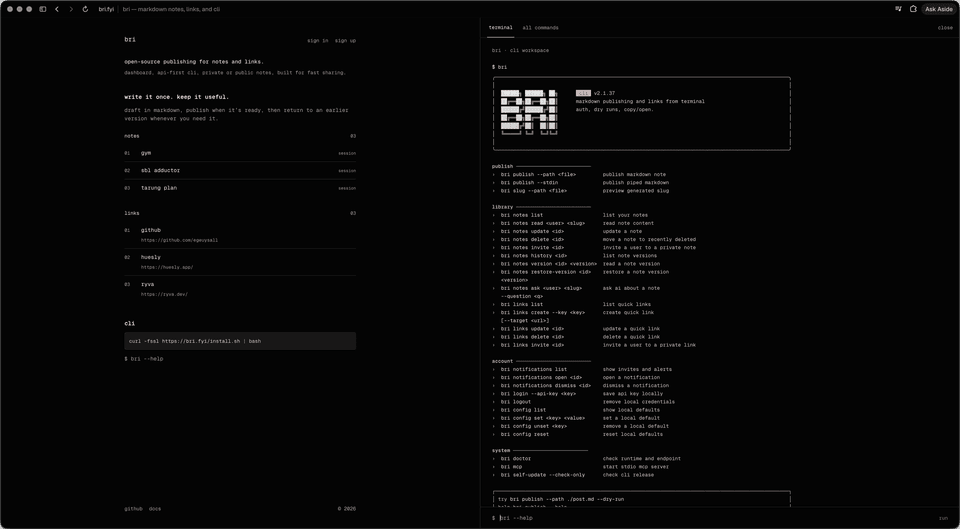
Bri’s landing page now has an interactive terminal backed by the real CLI. The demo uses an isolated bri_demo_… account, so someone can try note publishing and quick-link creation without entering a normal account. This identity needs different root-page behavior: a regular signed-in user should go directly to their own dashboard at /<handle>, while the demo account must stay on the landing page so its terminal remains usable.
The redirect decision lives in both the server and client paths. The server handles a direct request to /; the client shell covers navigation that happens after the page has loaded. The demo marker is the explicit exception in both paths. The sign-in and sign-up controls are rendered independently of that marker, so the landing header does not hide them just because a demo session is active.
The demo endpoint accepts only a bounded command payload. For --stdin, it validates the input size and only passes piped content to supported commands. A shortened excerpt from the request handler shows the shape of that boundary:
if (
  stdin !== undefined &&
  (typeof stdin !== "string" || stdin.length > 16_000 || stdin.includes("\0"))
) {
  return Response.json(
    { error: "The piped input must be plain text under 16 kb." },
    { status: 400 },
  );
}

const supportsStdin =
  (cliArgs[0]?.toLowerCase() === "notes" &&
    cliArgs[1]?.toLowerCase() === "update" &&
    cliArgs.includes("--stdin")) ||
  (cliArgs[0]?.toLowerCase() === "publish" && cliArgs.includes("--stdin"));

if (stdin !== undefined && !supportsStdin) {
  return sendResult(request, sessionId, {
    output:
      "piped input is enabled for bri publish --stdin and bri notes update <id> --stdin.",
  });
}
The limit protects the public endpoint from arbitrarily large bodies, and the command check prevents accepting data for operations that do not consume it. In the terminal UI, echo and printf can provide a small supported pipeline, so these examples work in the demo:
$ bri links create --key hello
$ bri publish --stdin "# Hello"
$ echo "# Hello from a pipe" | bri publish --stdin
The link command uses a default target only in demo mode. This makes the simple --key hello example useful without changing the normal CLI contract, which still requires a target. The demo also disables operations such as credential changes, invitations, opening local applications, and arbitrary host access. It is a product walkthrough with a scoped workspace, not a general shell exposed to the internet.
The first production run uncovered a packaging bug: the generated CLI entry imported @vercel/flags, but the build had marked packages external. The function’s isolated runtime did not contain the package, so Node stopped before it could execute bri. The fix was intentionally in the build configuration:
const result = await Bun.build({
  entrypoints,
  outdir: outputDir,
  root: cliRoot,
  target: "node",
  packages: "bundle",
  splitting: true,
  naming: { entry: "[dir]/[name].js" },
});
Bundling dependencies makes the demo artifact self-contained at the point where it runs. After that, I fixed the remaining handoffs around demo authentication: returning the callback to /, keeping demo users on the landing page, passing the verified session token to the CLI, and using the token already verified on the request rather than trying to look up a separate session that does not exist for the demo identity.
The UI changes followed the same idea of keeping the demo usable: the landing page stays at the top on open, only link titles underline on hover, previews show three items, the CLI entrance begins sooner, and the gap before it matches the surrounding content. The header’s sign-in and sign-up links remain present. If the visitor is a regular authenticated user, the root request redirects them to their handle page instead.
IBX: keep the workspace open while the folder changes
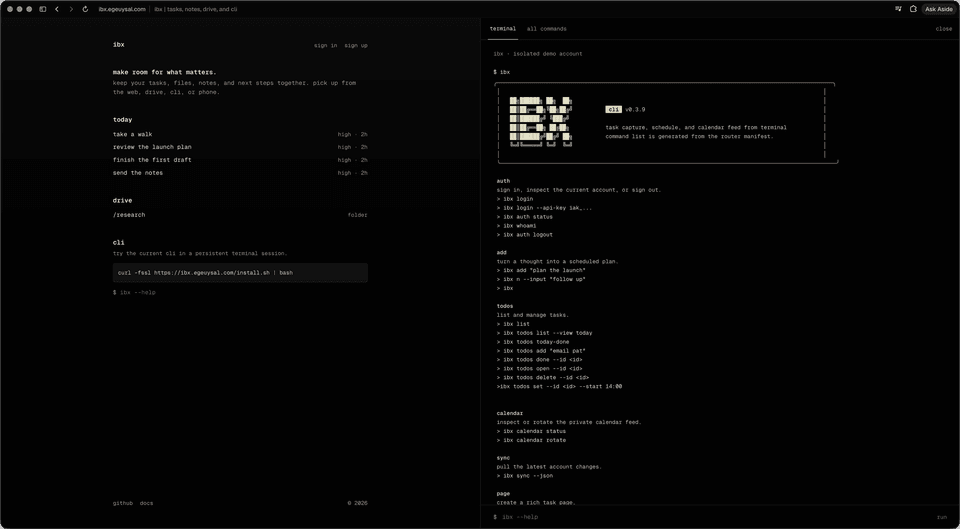
IBX’s landing demo combines a Drive view with a terminal panel. The user expectation is that opening a directory changes the file list, not the whole workspace. The terminal and its transcript now survive movement between the landing route and the Drive route. The same demo session ID is carried through navigation, while the command, history, output entries, and open state are saved in sessionStorage.
The terminal deliberately treats a browser reload differently from route navigation. Navigation can restore the existing session; reload starts a fresh terminal transcript. This keeps the terminal from closing during normal browsing while avoiding the promise that a command process has survived a full page restart.
const navigation = performance.getEntriesByType("navigation")[0]
  as PerformanceNavigationTiming | undefined;

if (navigation?.type === "reload") {
  sessionStorage.removeItem(terminalStorageKey);
}

const saved = navigation?.type === "reload"
  ? null
  : sessionStorage.getItem(terminalStorageKey);

if (saved) {
  const state = JSON.parse(saved) as {
    sessionId?: string;
    command?: string;
    entries?: Entry[];
    history?: string[];
    open?: boolean;
  };
  if (state.sessionId && /^[A-Za-z0-9_-]{32}$/.test(state.sessionId)) {
    sessionIdRef.current = state.sessionId;
  }
  if (Array.isArray(state.entries)) setEntries(state.entries.slice(-10));
  if (Array.isArray(state.history)) setHistory(state.history.slice(-100));
}
The stored session ID is validated before reuse. Transcript and history are bounded on restore, so storage cannot cause an unbounded rendering workload. Drive navigation fetches the selected folder using the same demo-session header. When a CLI command changes the workspace, the Drive view listens for an update event and refreshes its visible items.
useEffect(() => {
  inputRef.current?.focus({ preventScroll: true });
}, []);
That small option matters on the landing page: autofocus should make the terminal immediately usable, but the browser should not scroll past the page’s opening content just to focus an input. The landing elements now reveal from top to bottom, and the terminal transitions into place without the initial flicker caused by animating before its restored state is ready.
CyberMinds: run supported commands instead of printing pretend output
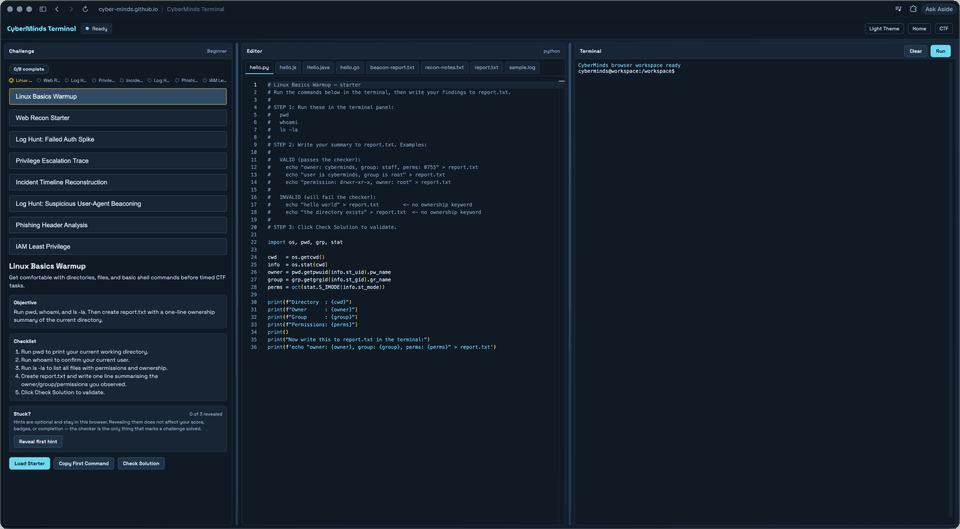
CyberMinds had a terminal that could show a command-like transcript without consistently running the command. I changed the default to the browser simulation, removed mock output from run, and added Python execution through Pyodide in a Web Worker. The worker gives Python a virtual /workspace and returns text output and text files to the terminal UI.
The worker is also a security boundary. Learner code runs away from the page’s main JavaScript context, and network APIs are disabled inside the Python runtime:
pyodide.FS.mkdir("/workspace");
globalThis.fetch = () =>
  Promise.reject(new Error("Network access is disabled"));
globalThis.XMLHttpRequest = undefined;
globalThis.WebSocket = undefined;
globalThis.EventSource = undefined;

await pyodide.runPythonAsync(
  'import os, sys\nos.chdir("/workspace")\nsys.path.insert(0, "/workspace")',
);
await pyodide.runPythonAsync(data.code);
The curl command is implemented separately in the browser. It accepts a URL, adds // to a bare domain, rejects unsupported schemes and embedded credentials, then uses browser fetch. It omits credentials and the referrer, follows redirects, bounds response output, and reports the browser’s network or CORS failure. That is intentionally not the same thing as a server-side shell command: if a remote server blocks browser requests, or no local service is listening, the terminal reports that limitation rather than inventing a response.
const rawUrl = /^[a-z][a-z\d+.-]*:/i.test(options.url)
  ? options.url
  : `https://${options.url}`;

const url = new URL(rawUrl);
if (
  !["http:", "https:"].includes(url.protocol) ||
  url.username ||
  url.password
) {
  throw new Error("unsupported URL");
}

const response = await fetch(url, {
  method: options.head ? "HEAD" : "GET",
  credentials: "omit",
  referrerPolicy: "no-referrer",
  redirect: "follow",
});
The lockfile refresh in this group was separate maintenance: it updated vulnerable dependency versions without changing the terminal’s runtime model. The user-facing work was to make the simulated shell honest about what it can execute and where those commands run.
egeuysal.com: make Ask AI and the photo archive easier to use
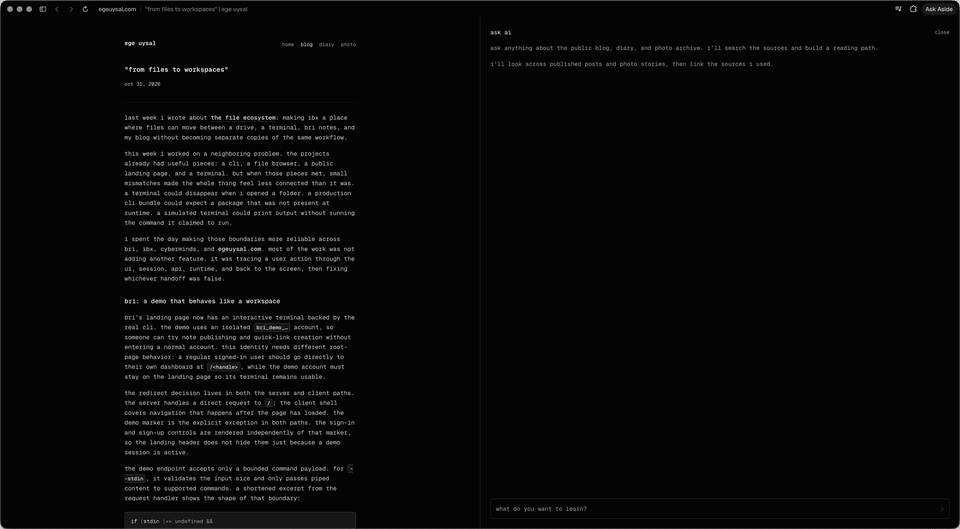
The website work connected the product changes to the place where I explain them. Ask AI now indexes the site’s published blog, diary, photo, project, and Brain sources. The indexer cleans Markdown, adds project tags, chunks the source material, and stores embeddings in batches. That gives retrieval a structured corpus instead of asking the model to infer context from a single unindexed page.
The panel is deferred until the user opens it, then its stylesheet and component load on demand. I added a recovery state if the lazy component fails and restored a previously open panel without showing an unwanted opening animation. The input autofocuses when opened. Code blocks in the panel now share the blog’s presentation and use the active syntax theme in dark mode.
The photo archive needed a separate set of fixes. I corrected the relationship between source image dimensions, rounded frames, and captions; synchronized the incoming and outgoing layers with scroll position; and preloaded the next image so the change does not flash while the user scrolls. Stories are shortened to 160 characters in the scroll gallery, which keeps the caption readable without hiding the full image behind a long text block.
function truncateStory(story: string, maxCharacters = 160): string {
  const characters = Array.from(story.trim());
  if (characters.length <= maxCharacters) return story.trim();
  return `${characters
    .slice(0, maxCharacters - 3)
    .join("")
    .trimEnd()}...`;
}
Using Array.from keeps the limit in Unicode code points rather than splitting a multi-unit character halfway through. That is a tiny example of the kind of edge case that makes the visible result feel finished.
The changes, commit by commit
There were 38 commits in the four repositories during this 24-hour window. Most are grouped here by the specific purpose they served rather than presented as one long undifferentiated log.
Bri: 16 commits
| Commit | Purpose |
|---|---|
6356a0d | Add the interactive CLI workspace and landing terminal. |
1988c46 | Make the terminal authenticate correctly in production. |
e29b069 | Return the demo authentication callback to the landing route. |
9b66f48 | Exempt demo identities from normal account redirection. |
ad3409e | Create the demo token from request authentication. |
e2c9aae | Reuse the already verified demo session token. |
2249c59 | Pass the session token from the terminal to the CLI. |
d49f608 | Keep the demo terminal rendered on the public landing page. |
e02e7d0 | Fix the shell/build integration for the demo runtime. |
845365c | Send demo sessions back to the root URL. |
0092a6f | Keep the page at the top and restrict underline hover to link titles. |
a7e5a4a | Restore authentication links and limit landing previews. |
930caca | Bundle the runtime packages required by the CLI. |
dcbc1c5 | Start the CLI entrance animation sooner. |
48916d6 | Reduce excess space before the CLI section. |
e1cfd6c | Enable note publishing and quick-link creation in the demo. |
IBX: 4 commits
| Commit | Purpose |
|---|---|
52b25c7 | Add the Drive and interactive CLI landing demo. |
c096f7d | Preserve the CLI session while navigating Drive folders. |
ecba127 | Sequence page content and preserve terminal state. |
eec08d5 | Autofocus the terminal without moving the page scroll position. |
CyberMinds: 5 commits
| Commit | Purpose |
|---|---|
7023845 | Make the browser simulation the default terminal runtime. |
0aae0e7 | Refresh vulnerable dependency versions in the lockfile. |
707db18 | Remove pretend output from the run command. |
bd10ec4 | Add Python execution through the browser worker. |
b5a0de3 | Support URL input and help output for browser curl. |
egeuysal.com: 13 commits
| Commit | Purpose |
|---|---|
153cede | Index Brain and site content for Ask AI retrieval. |
139d69a | Stagger content reveals across pages. |
50917e3 | Refine Ask AI panel behavior and page motion. |
cf2df3b | Match Ask AI code blocks to blog styling. |
5b8f413 | Apply the active code syntax theme in dark mode. |
32eac26 | Focus the Ask AI input when the panel opens. |
f34be51 | Keep long photo stories from dominating the scroll gallery. |
6d3123a | Center photo captions and align the gallery column. |
7064337 | Size the image frame from the source image dimensions. |
ec9ce7d | Align story text with the rounded image frame. |
e6ff819 | Match caption position to the image frame. |
004b7bc | Synchronize scroll transitions and clip image layers. |
686d085 | Remove scroll flicker and restore rounded image corners. |
The commit list looks like UI work, but the shared engineering theme is state ownership. Bri’s demo has a dedicated identity and a bounded server workspace. IBX keeps route navigation from destroying the browser session. CyberMinds says plainly which runtime executes a command. The website fetches and organizes the content Ask AI uses, then presents it without jarring transitions.
From files to workspaces
The previous post asked how a file could remain useful across several tools. This one asked how a workspace could remain itself across several views. A stable file path let IBX, Bri, and the blog refer to the same asset. A stable demo session now lets a terminal and a Drive view refer to the same workspace.
The common lesson for me is that integrations become real when the boundary is explicit. The URL should belong to the product, not a temporary storage provider. The terminal should say whether it is running in a browser worker or a server process. A signed-in user should reach their own dashboard, while a disposable demo identity remains in its sandbox. Once those rules are clear, the UI can stay simple.
I want IBX, Bri, and the rest of my tools to feel like parts of the same working environment. This week moved them a little closer: the file, command, session, and page state now survive the transitions where they used to fall apart.
Loading comments…